Asset Optics
The Game Production Pipeline for Unreal Engine
Asset Optics is a powerful production management tool designed specifically for Unreal Engine developers. It helps you plan, track, and ship your game by organizing your work into a clear hierarchy and providing smart prioritization to keep you focused on what matters most.
Key Features
- Game Production Pipeline: Complete workflow management directly in Unreal Engine
- Work Hierarchy: Organize work as Project → Milestones → Tasks → Assets
- Planning Board: Kanban-style task management with drag-and-drop
- Focus Mode: Smart prioritization tells you what to work on next
- Milestone Tracking: Visual progress bars and dependency management
- Asset Linking: Connect tasks directly to your Unreal Engine assets
- Comments & Checklists: Collaborate with detailed feedback on assets and tasks
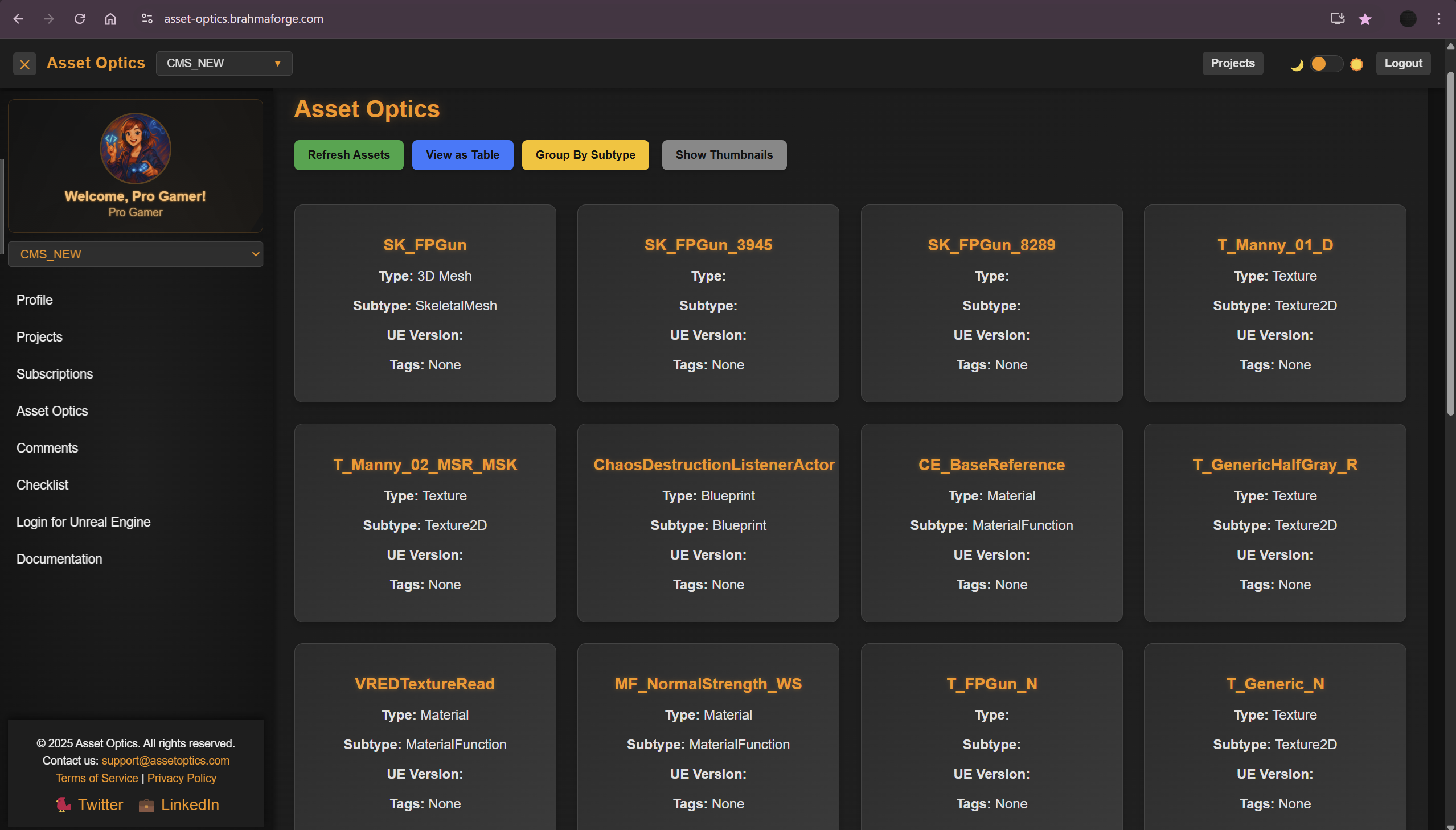
- Web Dashboard: Manage your project from any browser
- MCP Integration: Automate task creation with AI assistants (Claude, Cursor, VS Code)
Who Should Use Asset Optics?
Asset Optics is ideal for:
- Indie Developers: Solo developers who need to stay organized and ship
- Game Studios: Teams that need collaborative production tracking
- Game Jams: Rapid development with milestone-based deadlines
- Students & Educators: Learning structured game development workflows
- Anyone shipping Unreal Engine projects
Work Hierarchy
Asset Optics organizes your production work into a clear hierarchy:
Project
└── Milestones (Alpha, Beta, Release, Sprint 1, etc.)
       └── Tasks (with status: Todo, In Progress, Blocked, Done)
              └── Assets (linked from Unreal Engine Content Browser)
Projects
A project represents your game or any scope you define:
- A complete game
- A proof-of-concept (POC)
- A vertical slice
- A feature prototype
- A game jam entry
Milestones
Milestones are major phases or goals in your project:
- Set due dates to keep yourself on track
- Define dependencies between milestones
- Track progress with visual progress bars
- States: Planned, Active, Completed
Tasks
Tasks are the work items that make up your milestones:
- Organize with Kanban columns: Todo, In Progress, Blocked, Done
- Set priority levels: Low, Medium, High, Urgent
- Add checklists for subtasks
- Link to assets in your Unreal project
- Add comments for collaboration
Assets
Assets are your Unreal Engine content:
- Automatically synced from Content Browser
- Link multiple assets to tasks
- Add comments and checklists directly on assets
- Track asset completion status
Tabs Overview
| Tab | Purpose |
|---|---|
| Dashboard | Quick overview of project status, active work, and progress |
| Planning | Kanban board for task management and milestone selection |
| Assets | Browse, search, and manage your Unreal Engine assets |
| Focus | Smart prioritization - what to work on next |
Web Dashboard
Access your project from any browser at asset-optics.brahmaforge.com:
- Full project management capabilities
- Works on any device
- Syncs in real-time with the Unreal plugin
- Account settings and MCP token management
System Requirements
- Unreal Engine: 5.5, 5.6, or 5.7
- Operating System: Windows 10/11, macOS 11+
- Internet: Required for sync and authentication
- Browser: For web dashboard (Chrome, Firefox, Safari, Edge)
Getting Started
Ready to supercharge your game production?
© 2026 BrahmaForge. All rights reserved.